Archive for apps

The Two-Operating-System Market

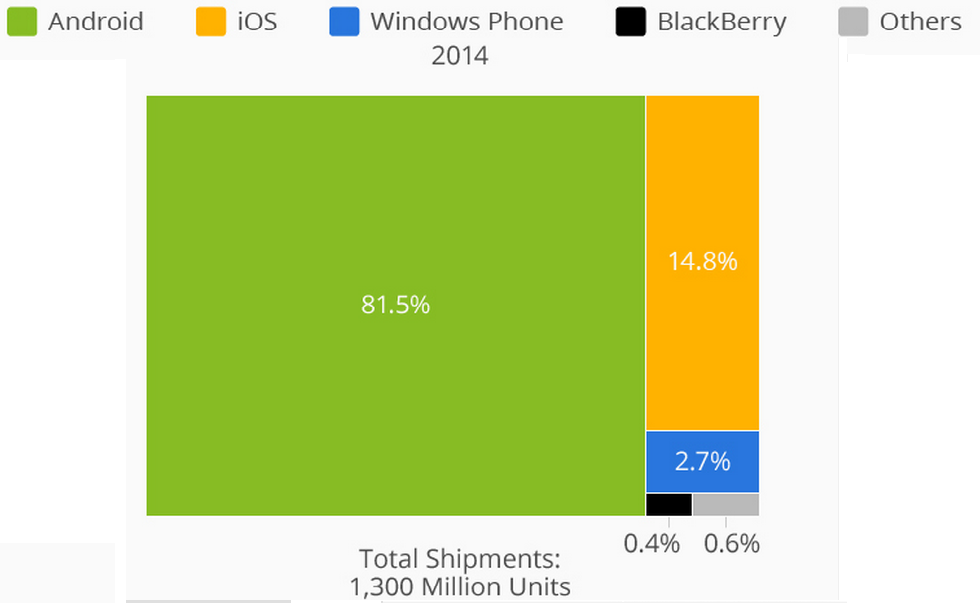
Most choices in the world aren’t clearly defined in yes or no terms — option A or option B — but if you’re in the market for a new mobile device, it virtually is. Thanks to the latest graphic by Statista — based on data collected via the International Data Corporation — the decision faced by the vast majority of users is clear: Android and iOS far outpace their competition.

According to IDC, 1.3 billion mobile devices were sold in 2014, with Android accounting for more than one billion on its own. The Google operating system sold to 81.5% of the market with Apple’s iOS placing second with 14.8%. Still on the podium but trailing far behind was Windows Phone at 2.7% and Blackberry held 0.4%. The remaining 0.6% of the market purchased other OS devices such as Sailfish, Tizen and Ubuntu.
osgraph

With the two major players dominating the market to the tune of 96.3% last year, up from 93.8% in 2013, the app market and thus app developers have followed the customers. Via AppAnnie, the number of Android apps overtook iOS last year, with Amazon Fire coming in third. Windows Phone, BB and others were not listed.

appnumbers

The four major sports — plus the MLS — all have official mobile apps for Android and iOS, though after the top two the app market diverges.

iOS Android BB Fire OS
MLB X X X
NBA X X X
NFL X X X X
NHL X X
MLS X X

The situation seems to be a Catch-22 of sorts. Fewer app developers want to go to the non-iOS/Android markets due to the lack of consumer base and the consumer base can’t grow without apps. Amazon Fire OS is a heavily modded version of Android and is cross compatible with some but not all Android apps. Despite getting some support recently in the form of WatchESPN arriving on Windows Phones, sports fans and the public in general are in a two horse race.

(Header image via Kārlis Dambrāns)

Review: Pocket Yoga

From 2002 to 2009 the popularity of yoga stagnated. Then in 2010 yoga began a clear rise in popularity and according to projections by Google Trends and Statista, it will continue to grow. The app market has taken note, as there are dozens of yoga apps to choose from in the App Store, Google Play Store and the Amazon Store. Right now through the Amazon Store and for Android devices, the Pocket Yoga app is free to download.

As someone would be classified as an interested novice in yoga, I wouldn’t bother paying the normal $2.99 just to try an app. Free? That is the right price for me to give it a whirl, and Pocket Yoga has impressed me. It features three different practices, each with 27 different preset routines to pick from. Within each routine you can pick the duration — 30, 45 or 60 minutes — as well as choose between beginner, intermediate and expert. There is also the ability to pick a home, studio or office environment, though the only difference is the background setting in which the app runs.

In addition to the preset routines there is also Sun Salutation A and B where instead of a time limit, it is based on how many repetitions you’d like to do, ranging from two to 108 (both A and B also have the option to choose which difficulty and environment).

Throughout each routine the digital instructor gives cues on pose changes as well as helping you regulate breathing, but I found myself struggling to get into the correct form before the next pose. The app does allow you to pause each routine — and pick it up where you left off — or even preview the routine before you get started.

yogaguideA built-in index of the different poses in alphabetical order is incredibly helpful, and if you’re a fellow beginner, I strongly recommend looking at the preview and the list of poses before jumping into a routine.

yogalist

Pocket Yoga tracks your completed practices and routines and once you finish a session you’re given the option to share the accomplishment via Twitter, Facebook and a number of other social networks.

yogaprogress

As even the beginner routine was challenging to me, I’d recommend Pocket Yoga to someone who has more of a working knowledge of yoga. For Android users, make sure to download it through the Amazon Store as it is still $2.99 through the Play Store. The same goes for iOS users. Still, it is hard to fault the app for me not being as flexible as I was in my youth, though after a few weeks of using Pocket Yoga, I should be back in form.


Sling TV is Now Available For Everyone

After getting a sneak peek at Sling TV back in January at CES, many people were excited for the potential it held. At the time is was an invite-only system and only five major network channels signed up — ESPN, Food Network, TNT, TBS and CNN — but now the system is live and now has even more channels.

There is a free seven day trial period to test both the opening price point of $20 per month for the “Best of Live TV” service out on its own or even the add-on packages. The previously listed channels plus ESPN2, Adult Swim and the Disney Channel are available for the opening price point, but the extra channels include even more options.

The three channel lineups for an additional $5 each on top of the normal $20 monthly cost from Sling are Sports Extra, News & Info Extra and Kids Extra, with the channels on each shown below.

sling1

sling2sling3

After putting in your information to register, Sling shows you a welcome screen as well as listing the service compatibility. CES had a running version of Sling on an Xbox, but the picture below is accurate in saying it isn’t available just yet. The Android app is available, but it will have to be side-loaded. The computer version of Sling works quite well and hopefully the mobile will soon be on par with it.

sling4

Sling shows channel category options in the form of an “All Channels” sidebar and once a selection is made, upcoming programs are shown along with their start times on that particular channel.

sling6

The quality of the broadcasts is up to the consumer, allowing you to select how much bandwidth and thus what the video looks like. On the highest setting neither the video or audio ever stuttered, however the quality seemed to move from the 1080p to about 480p despite my WiFi signal remaining constant.

sling7

For cord cutters, Sling TV is about the best option around for live entertainment. If you’re on the fence, I strongly suggest taking advantage of the seven day trial to experience it firsthand.


GoPro and Roku Announce New Partnership

GoPro will launch a channel for Roku box owners this spring, displaying content specifically from GoPro users. This expands the partnership GoPro already has in place for content viewing with Xbox, Virgin America and LG to bring streaming content to users.

Roku, who has already sold over 10 million devices as of September 2014, has set the pace with streaming channels at over 1,800. The GoPro channel will include featured content, crowd favorites as well as the option of finding out which version of camera took the footage. Much of the content will be user created, says Adam Dornbusch, Head of Programming at GoPro:

“GoPro content is unique in that it emotionally resonates with a global audience. The GoPro channel will make it simple for Roku customers to watch GoPro originally-produced and “best of” user-generated content on their televisions at home. We are excited to bring the world of GoPro to Roku customers as they are one of the most engaged customer bases when it comes to the amount of streaming content they view.”

With programs already in place ranging from news, sports, music, education and more, Roku’s expansion into the world of user generated content makes sense. Given the growth of GoPro over the years — for both professionals and amateurs alike — and the reach of Roku, this partnership should continue the expansion of both companies as well as benefiting customers with more entertainment options. What a time we live in for someone to film themselves with a GoPro while flying a drone modeled after the Millennium Falcon.

(Header image courtesy of the GoPro Facebook page)

Sports Site theScore Releases New Esports App

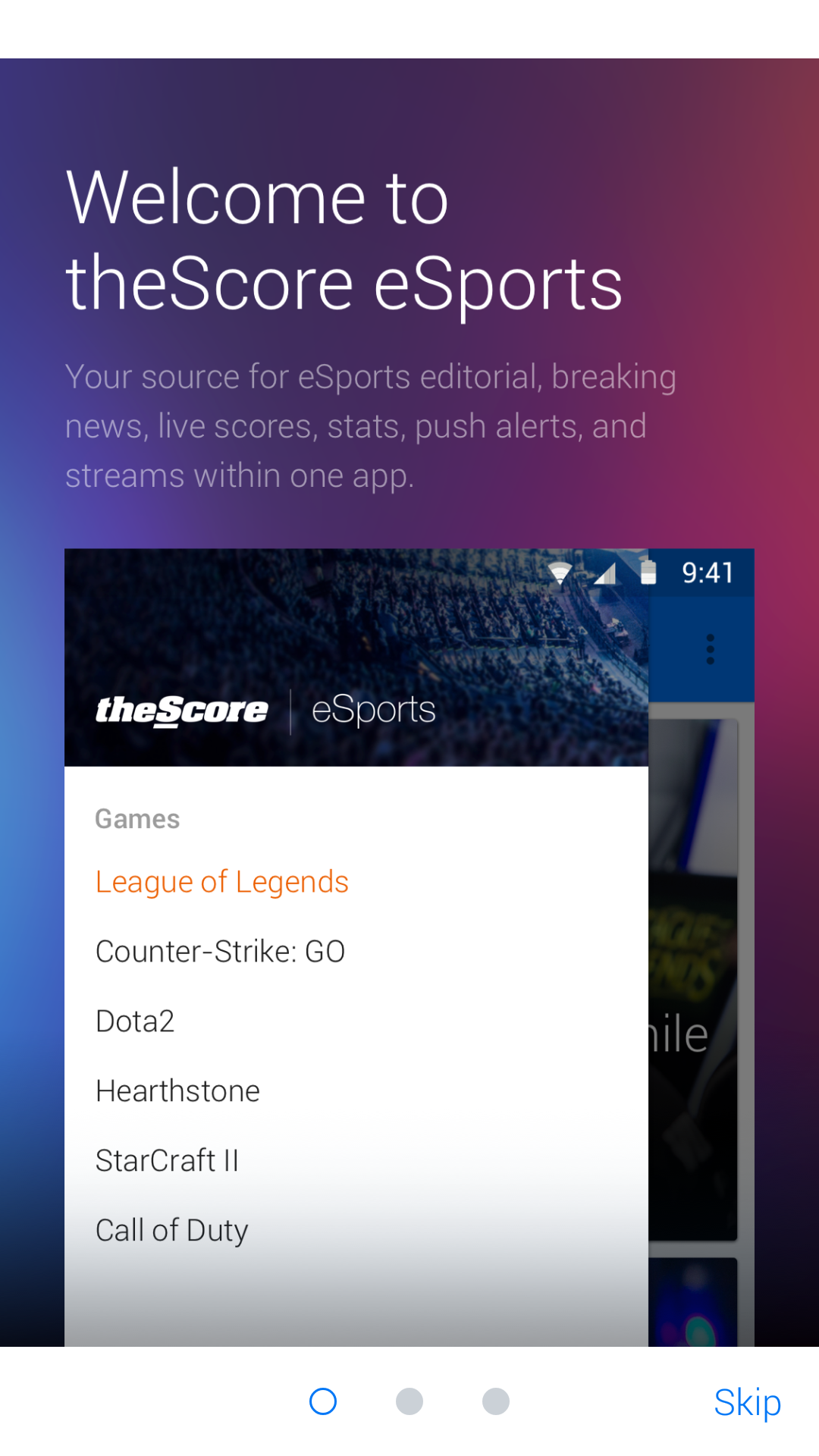
Popular sports website theScore has made the leap into esports with the launch of their “theScore eSports” app for Android today. An iOS version is in the works already. The company, which just set a new record for their site traffic at 10.2 million active monthly users, now features a specific app focused on the happenings in six of the biggest esports titles.

thescore

Featured within the app are options to follow League of Legends, Dota 2, Hearthstone, StarCraft II, Counter-Strike: Global Offensive and Call of Duty. Within those games listed there are specific regions covered as well, currently consisting of North America, Europe, Korea and China. TheScore has promised more games and more regional coverage as the app continues to grow.

Right now some aspects of the app work are fully operational. The North American League of Legends Championship Series currently shows upcoming matches and scores. The StarCraft section isn’t fully complete yet, as neither scores nor regions were available at the time of the app launch.


thescore3

There is a catch-all hub that doubles as the Top News section, where tournament announcements, player acquisitions, sponsorship news and more can all be found. Within the Top News section there is the option to sort by specific game as well, making things very convenient if a person only follows one or two esports scenes.


Zepp Updates App to Provide Personalized Training Tips

The newest update to Zepp’s baseball and golf app includes a new feature to personalize users’ training based on swing analysis.

The feature, called Zepp Insights, will produce reports that recommend drills to help users focus on personalized weakness in their swings. The reports will be delivered weekly, provided the user takes at least 30 swings during that week. Using millions of swings collected from its users, Zepp will identify which of the five calculated swing parameters — bat speed at impact, maximum hand speed, time to impact, vertical angle at impact, and attack angle — is most in need of improvement. The report will then recommend training drills and tips from their existing video library.

The new update will also include swing goals across all metrics based on the user’s skill level. In previous versions of the app, only bat speed goals were set automatically, with additional goals relying on user input to tag the hit type and direction.

In addition to the drills and overviews featuring Cubs hitting coach John Mallee, Zepp also provides swing data and video of a number of MLB hitters, including Mike Trout, David Ortiz, and Giancarlo Stanton. The pros offer advice on more “real-world” scenarios, such as staying back on a curveball and hitting the ball the other way.

CEO Jason Fass said the new update provided personalized, actionable data to its users, better helping them improve their swings.

“Our goal is to provide analysis that not only collects numbers from the sensor, but offers ways to improve those numbers through content in our app,” Fass said. “We need to engage and elevate athletes by personalizing tips gleaned from their captured data.”


120 Sports Now Supports AppleTV

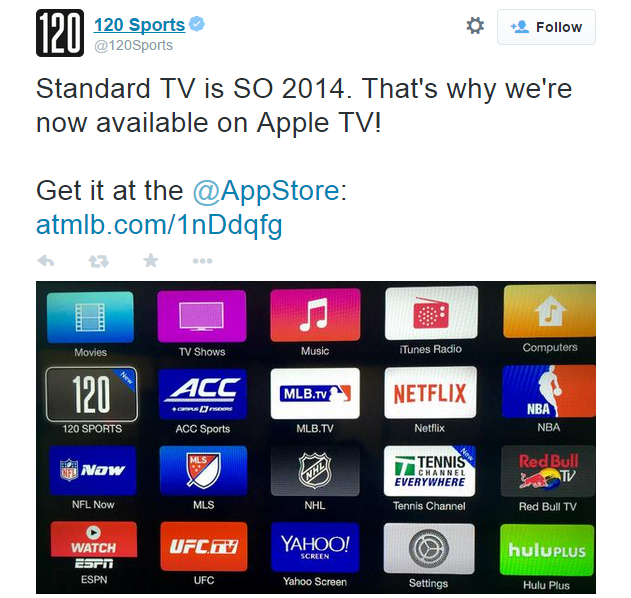
In another step in the right direction for cord cutters, 120 Sports, the company that launched live streaming sports news, analysis and previews has expanded from mobile versions to include AppleTV. Supported by Sports Illustrated and working with MLB, NHL, PGA, NBA, NASCAR as well as a slew of college conferences, 120 Sports is a free service for sports fans without cable packages.

120apple

While the AppleTV compatibility is new, both iOS and Android versions have been available for over six months. The company boasts 10+ hours of live sports coverage every day, starting at 8 am eastern. On the app versions you can search for popular previous broadcasts via the Catch-Up hub or go to the Trending section to see what is on the rise, though to follow a specific player or team you’ll have to be using the app, not the AppleTV version.

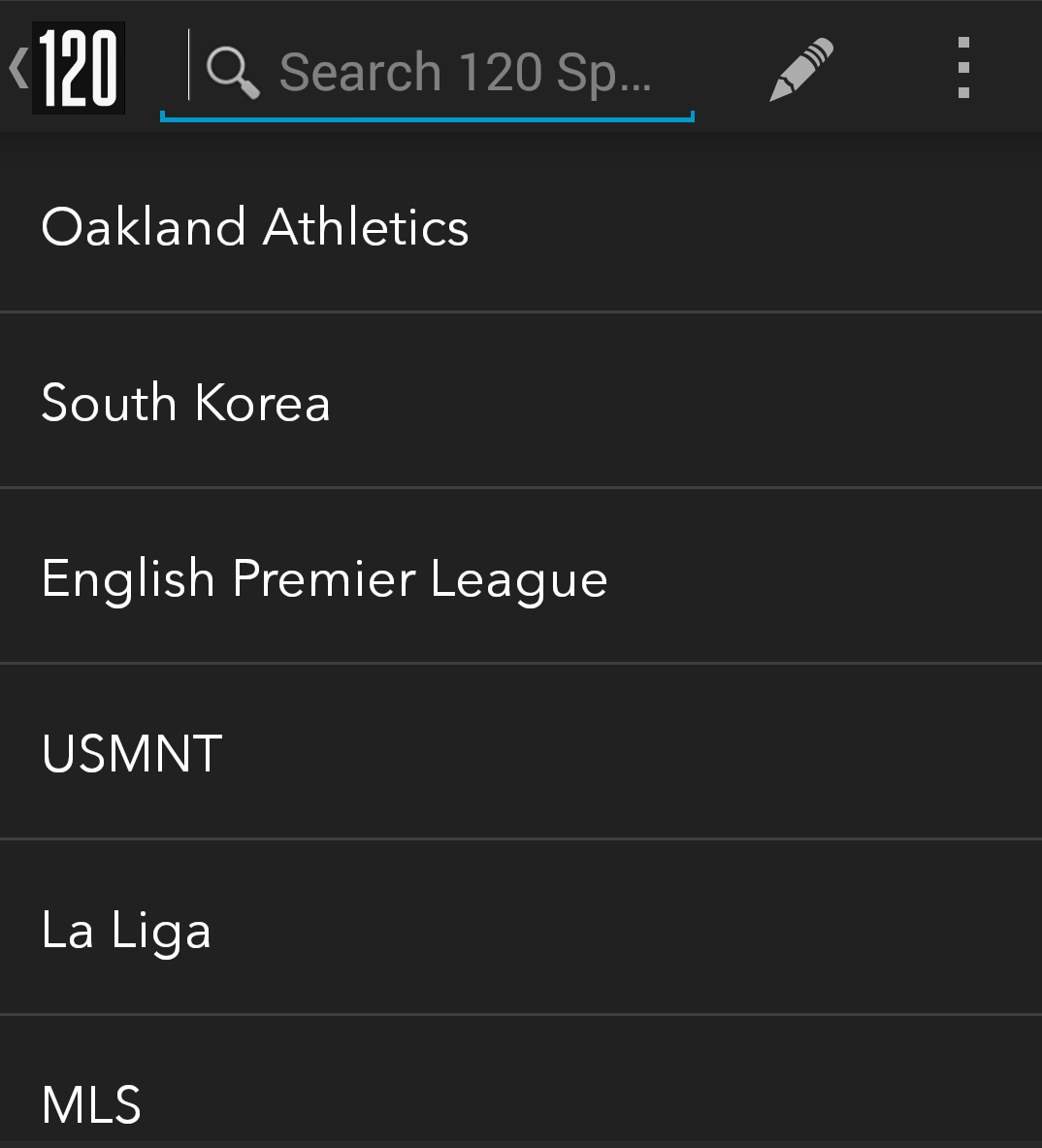
With an indexed and searchable on-demand system, 120 Sports offers a ton to consumers. The ability to follow specific teams, leagues or even national teams is a great feature as well.

120follow

A slight knock on the app is that if a team, Queens Park Rangers for example, may not be popular enough, it isn’t even searchable. Clubs such as Arsenal, Man City and United and others are all searchable and able to be followed, but it appears as though only the big teams can be found.

It doesn’t need a login for the website version, however it does utilize your Google Play or App Store email for the mobile versions. Despite lacking live sports events, the highlights from 120 Sports alone make it well worth the download. Seeing the expansion to the television sets instead of mobile only is great progress as well.


Instagram’s New Beta Test

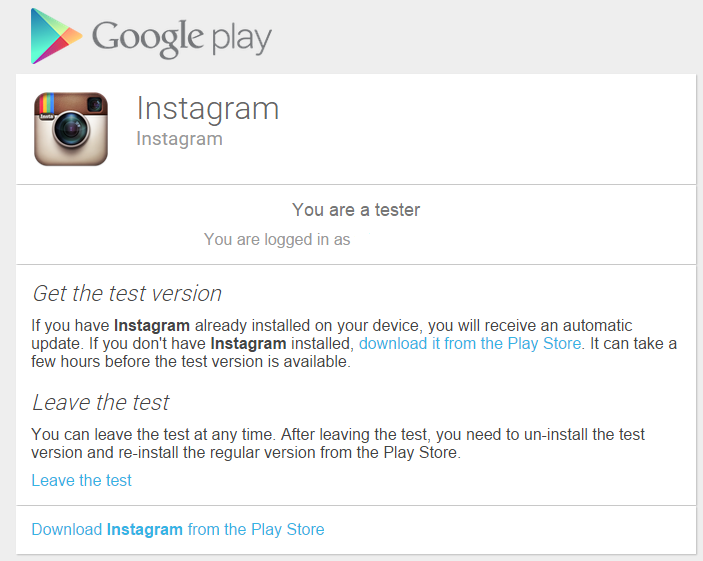
Succumbing to the world of selfies — and of course selfie sticks — is nearly inevitable at this point. Given the rapid growth of Instagram, now owned by Facebook, it isn’t hard to envision how social media integration is making people’s lives and interests public. Just days ago at the NCAA National Championship football game fans used more than a staggering six terabytes of data. Recently, Instagram launched their latest beta test update for Android platforms, a voluntary way of helping them troubleshoot as well as give feedback to the developers for what will eventually be their next update.

Despite just pushing out a major update back in December where five new filters were added, the brains behind IG seem keen on keeping up to date with new versions of the app. The beta update is free, you just have to join the Google+ group and then opt-in to the beta test. Once you’re in, you’ll see a confirmation message.

Ig

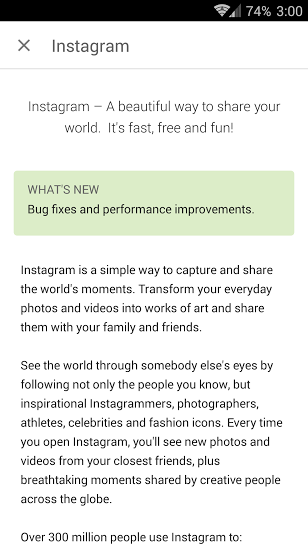
You’re also given the option to opt-out whenever you’d like. Given the very nature of beta testing, there may be some kinks to work out, however in the early going the changes have been for the best. Officially, the only changes to this beta version are various bug fixes, though more features could be unrolled as the beta progresses.

ig1

Be it concerts or sporting events or even a just a group of friends watching a game, wherever there are groups of people, posting pictures and videos are a part of lives now.


CES: GameTraka First Look


The term “knowledge is power” is as important in today’s world of sports as it was when first written down in the Leviathan. Tracking devices are already widely used by professional teams, however never before has a GPS device been open to the public like GameTraka. With the new GameTraka GPS device and accompanying software, any person can arm themselves with a wide assortment of useful on-field analytics. The Australian-made device measures the basics such as distance ran and top speed, as well as giving an intensity rating and acceleration.

The device itself is very small, about the size of a box of matches and measures your position five times per second.

P1076768

Specifically, the dimensions of the GPS unit is 62mm x 38mm x 8mm and comes in at 22 grams. Given the nature of many sports, collisions are inevitable and rather than have wear a device on the hip or wrist, GameTraka is held in place by a lightweight vest with the sensor placed in the back. The vest easily fits under any jersey or uniform and is specifically designed to fit the unit safely and comfortably.

P1076770

The company’s mantra is “wearable, shareable and comparable” and as great as the vest and sensor system is, where GameTraka truly shines is the sharing and comparing department. After the game, the sensor sends the data to the software side of things for the full breakdown. Connecting via Bluetooth to an iOS device or computer, the GameTraka software is where the leg work is done. The previously mentioned intensity rating is an estimation of how hard the wearer worked. For example, on a soccer field, a striker may have ran only two-thirds the distance of a midfielder, but at a higher intensity.

By comparing players to each other as well as well from one game to the next, a coach can clearly see who is running the farthest, the fastest and the hardest. From a training perspective, the system removes any subjectivity and guesswork by allowing coaches to see just how well a player is progressing if coming back from an injury. Individual players can compare data by chronological order and take note of any trends that may present themselves.

The price of knowledge from the GameTraka is $299.99 per unit, though according to the official site there are group discounts available. From a basketball coach seeing who truly hustles on defense to a soccer manager attempting to find the fastest in-game striker or winger to a rec league player who just wants to quantify as much about themselves as possible, GameTraka is the ideal unit for gathering on-field information.


CES: Razer Forge TV First Look

Gaming industry giant Razer is demoing their new Forge TV product at CES this week and the first impression of the device are quite favorable. Forge TV is an Android powered gaming platform, but rather than a full size (not to mention cost) console, it is about 4” by 4” and is considered a micro console. Don’t be fooled by the small size, as it packs a Qualcomm 805 processor, 2 GB of RAM and 16 GB of internal storage. After accounting for the Android 5.0 Lollipop operating system, about 14 GB of usable space remains.

Forge TV seems to fill a niche that I wasn’t sure was clearly defined, a place below multi-hundred dollar price tags yet above more casual mobile options. The micro-console itself goes for $99.99, though you’ll need to spend an extra $50 on the Serval controller bundle. Given that the Serval normally goes for $80 as a stand alone device for Android gaming, paying $150 for both the controller as well as the console is a great deal.

The hands-on experience with both Forge TV and the controller was pleasantly surprising. I was admittedly skeptical walking up to the little box, wondering what kind of punch it could really pack. With ports for an ethernet cable, HDMI, USB 4.1 plus a wi-fi connection, I didn’t have much faith regarding the true guts of the device. Once I was in-game, the graphics didn’t blow me away, but was certainly a clear step above mobile Android gaming. While multiplayer games were not set up, Forge TV does support up to four controllers.

The load times between the games were brief, though there was an instance where the game did give about a 15 second loading screen. That was the exception more than the rule as other levels loaded quickly. At one point my controller did disconnect from the micro-console. Our demo booth had a hard wired connection rather than wireless and it took a simple unplug, plug it back in to fix the issue.

In addition to the gaming potential, Forge TV also showed off its Google integration. From the home menu, familiar options such as Play Music, YouTube, Play Movies & Television shows etc. all appeared. Other apps already on board are Crackle, Hulu Plus and Red Bull TV. The little box also sports Google Cast, thus allowing you to stream web based content directly to your television.

One thing  I missed out on was a chance to see Razer Cortex in action. Cortex allows Forge TV to utilize existing PC games via a $34.99 software add-on. Granting the ability to play PC games on a console for barely half the price of a console game is an impressive move, however I personally don’t like Day 1 add-on costs. Perhaps something like a 7-day free demo will be released by Razer to entice potential buyers.

Minor quibbles aside, I came away very impressed with what Razer has done with Forge TV thus far. As someone who leans towards being a PC gamer, a cheap micro-console that I can play my computer games on has a ton of appeal.

Header photo courtesy of Razer